How to Make a Game pass on Roblox Mobile | Android and iPhone
Do you want to make a game pass on the Roblox mobile app to earn Robux and then convert it into real money through the DevEx program?
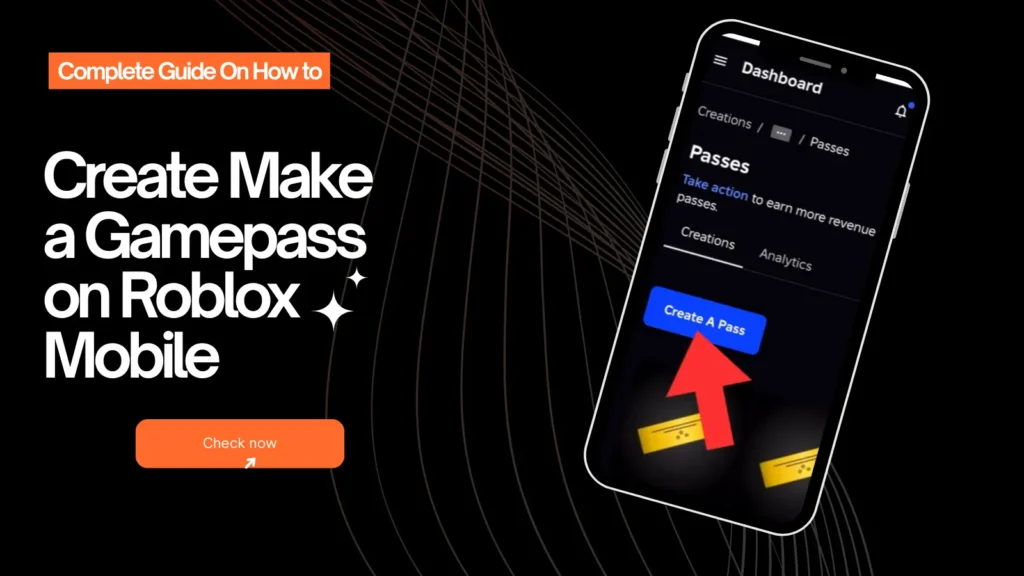
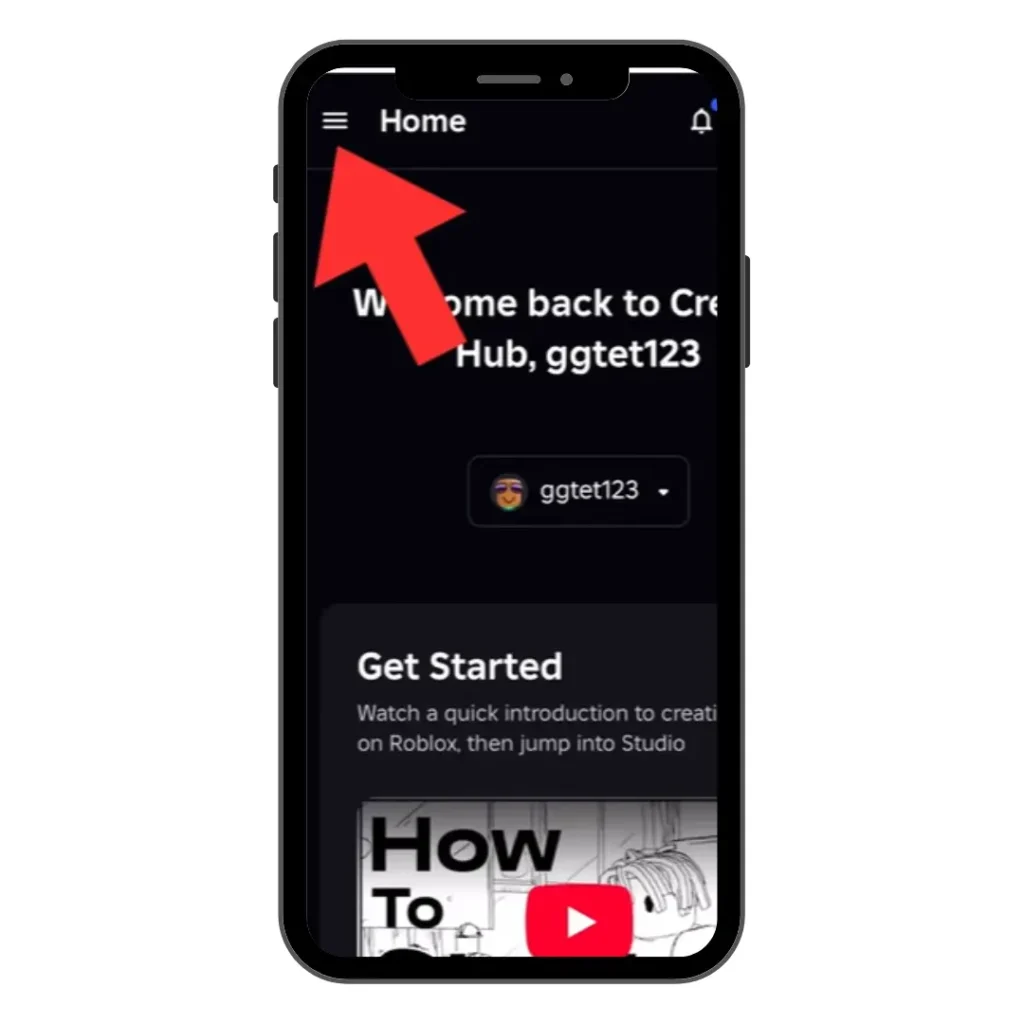
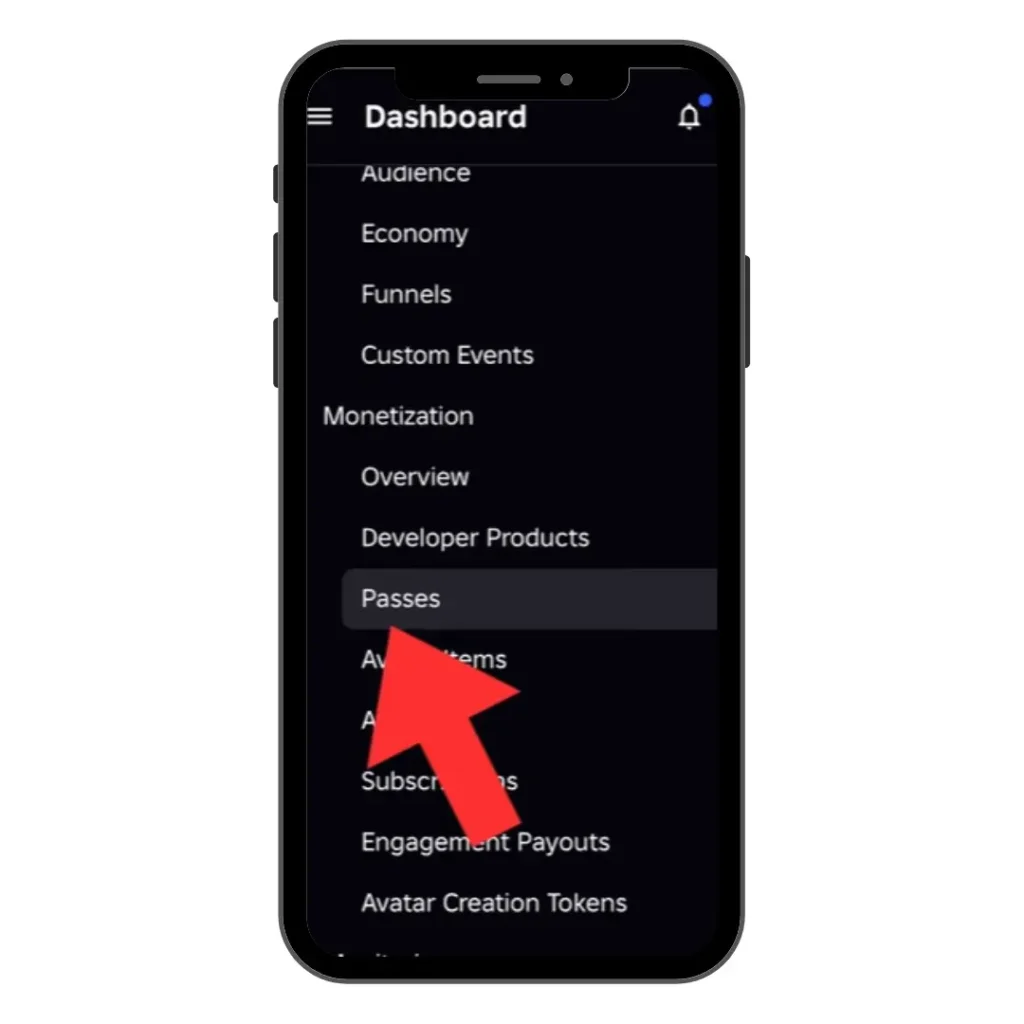
You can easily create a game pass from the Roblox app menu. Simply open the menu, select Create, go to Dashboard, then choose the Pass option under Monetization.
What Is a Roblox Game Pass?
Creators publish game passes to sell them on Roblox and earn Robux. On the other hand, game players spend Robux and buy game passes to access exclusive in-game content.
These include VIP rooms, special avatar items, extra speed or powers, restricted areas, unique perks, and bonus XP or boosts. 70% of the profit from each purchase goes to the developer. The remaining 30% percent is charged by the Roblox marketplace.
How to Make a Game pass on Roblox Mobile (Android & iOS)
Whatever, you’re Android or iPhone user, the steps are the same. Just follow the instructions below to create game passes in the mobile app.
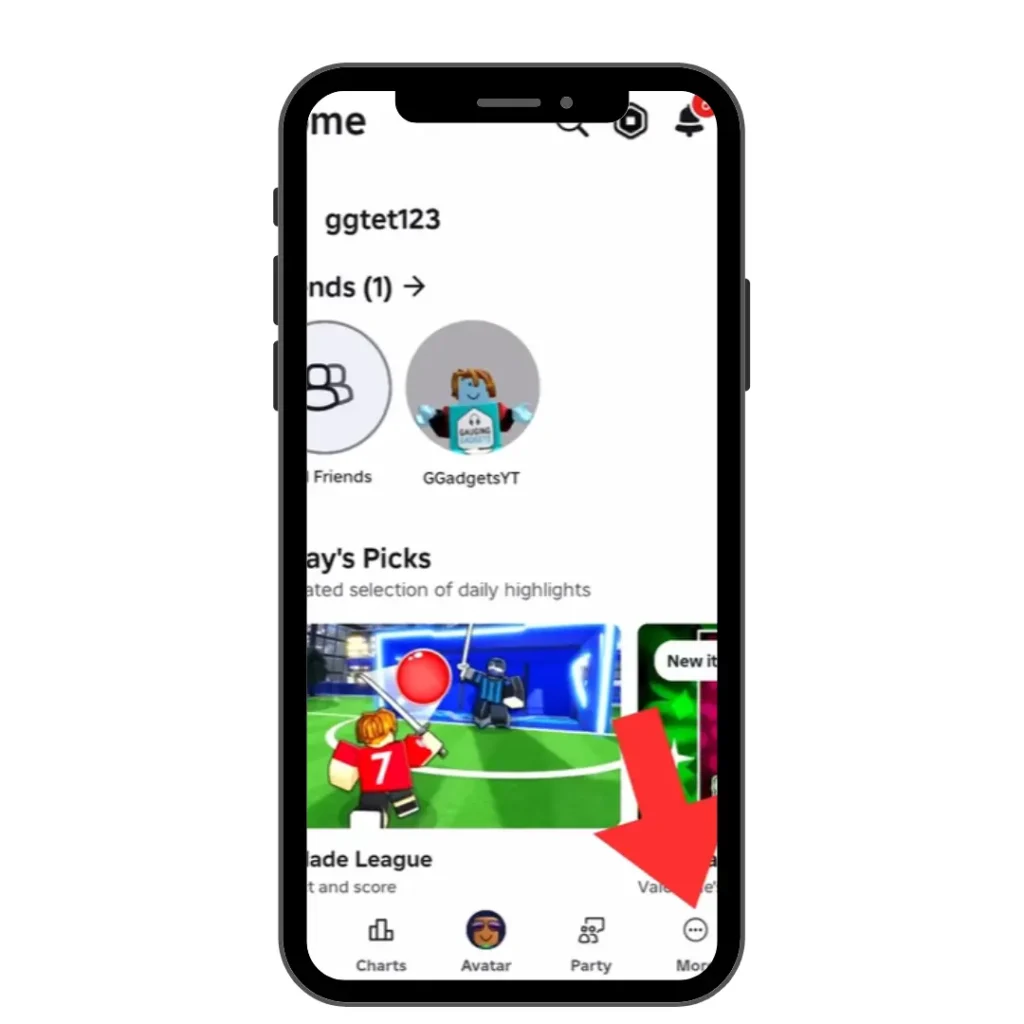
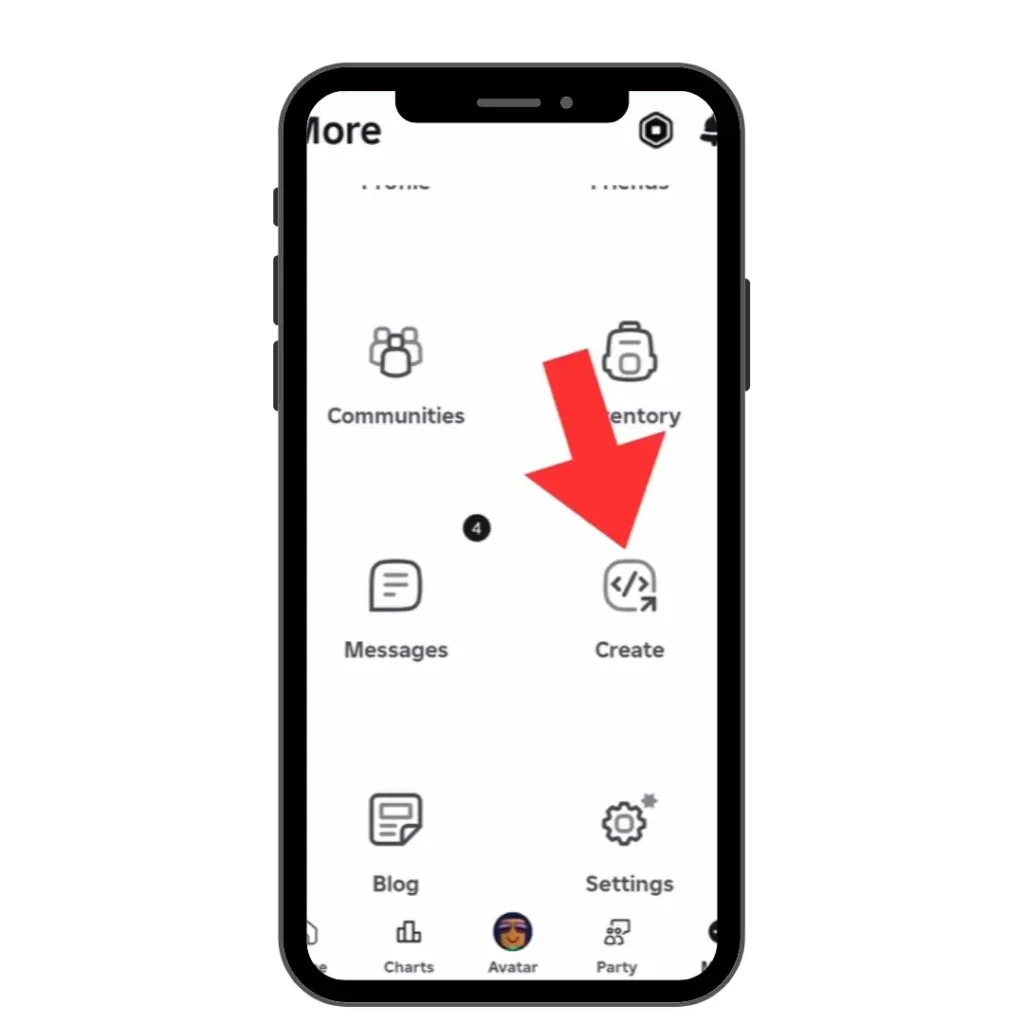
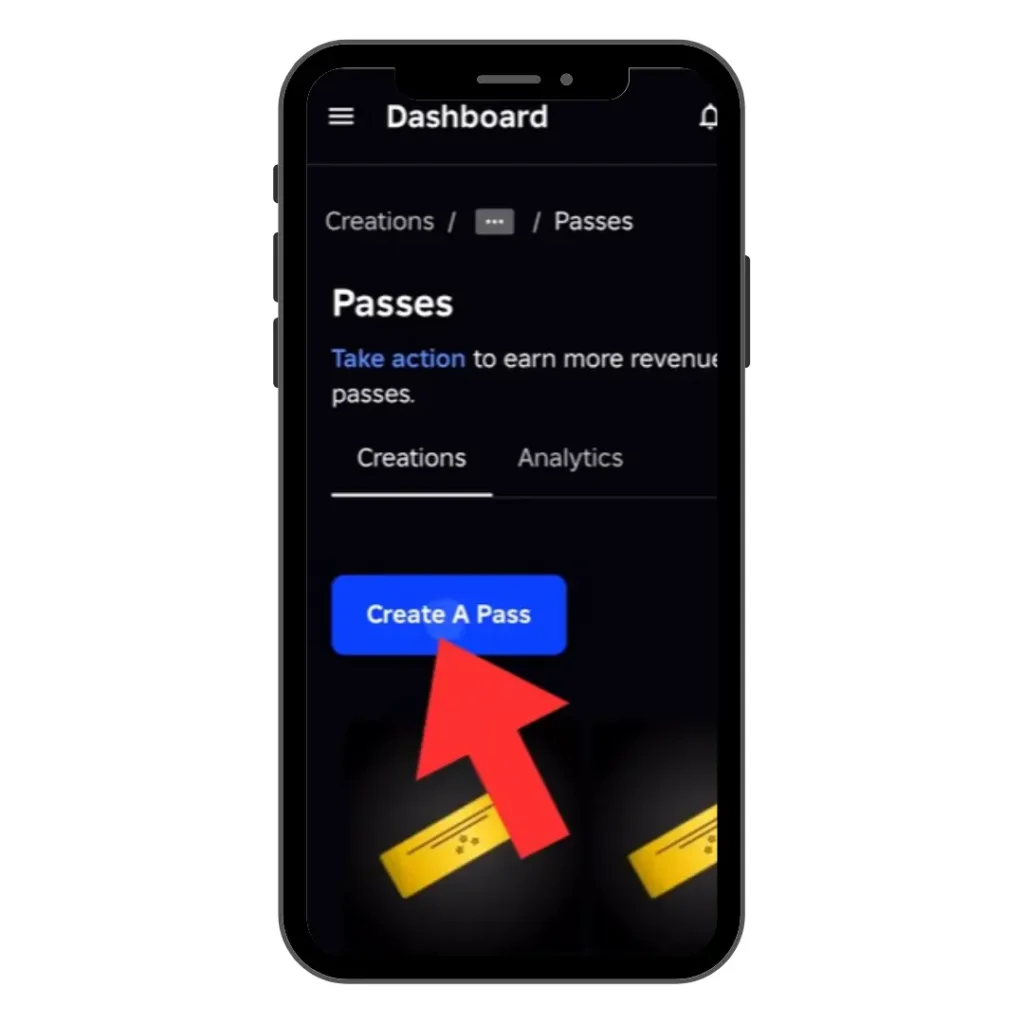
- Open the Roblox app, scroll down, and click on the three dots at the bottom right.
- Tap the three lines (☰) in the top left, then select the Creator Hub.
- Click on the Dashboard, check your publicly available Roblox place, and select one of them.
- Select the three horizontal lines next to the Dashboard.
- Scroll down and choose passes under monetization
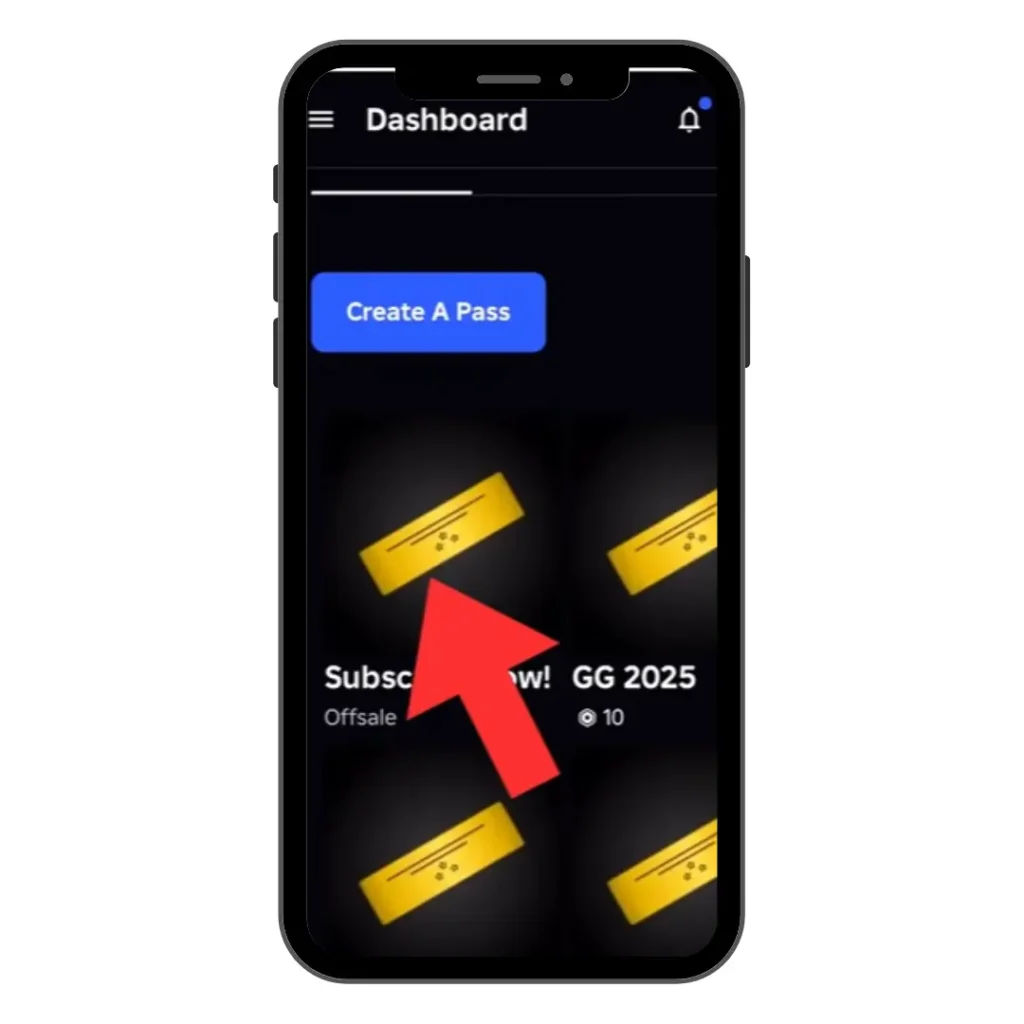
- Choose a game pass design
- Now create your game pass
- Upload your clear, appropriate photo. Minimum 512×512 pixels image acceptable.
- Add a 38-character clear, descriptive, and appealing name.
- Describe your game pass benefits and value proposition in clear and easy words.
- Click Create a Pass.
- Tap the three lines to adjust item settings.
- Click on Sales and toggle right to make the item available for sale.
- Set the amount of Robux required for a player to buy the game pass. Make sure you consider the 30% Roblox fee.
All done. You can confirm by clicking on the three dots at the top and in the middle of Creation and Sale. Check your recently listed game pass in the Creation tab. Secondly, go back to the homepage and open PLS DONATE. Your avatar will automatically walk to the booth. Check the stand. Your game pass should now appear there with the name you selected.
Popular Game Passes Features
Players buy Roblox game passes to unlock premium in-game features. Using the game passes, you can get VIP areas, 2x XP, faster speed, better weapons, exclusive skins, special effects, early access features, and donation passes.
Important note when Publishing Roblox Game Passes
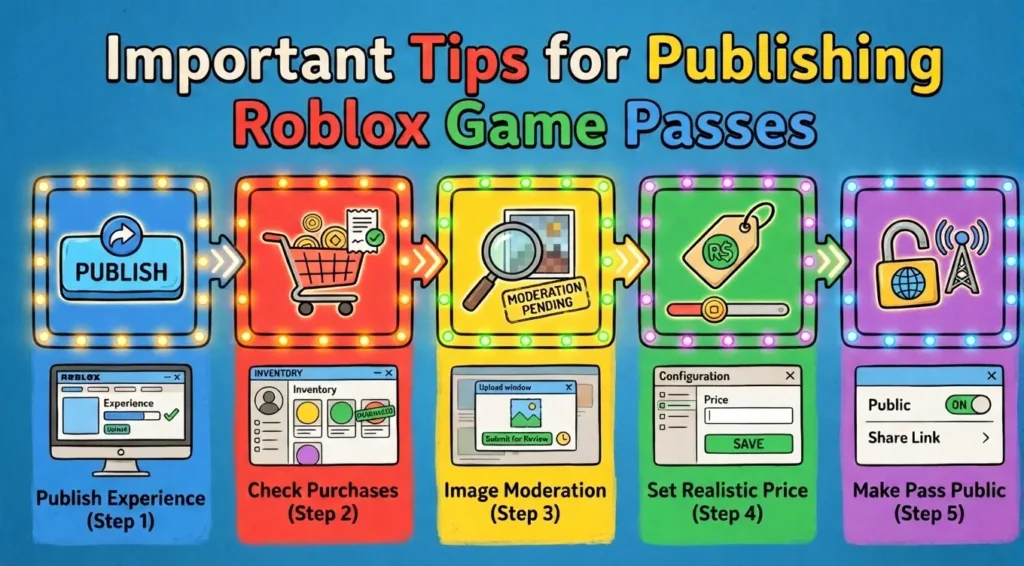
- Must publish your experience: Make sure you have at least one published experience (place). The Roblox game automatically generates one experience. You only need to mark it as published.
- Check if players bought your pass: Every sale needs manual approval. Keep your eyes on notifications and approve every real sale as quickly as possible.
- Image moderation takes time: Be patient. The Roblox team manually checks the image before it becomes publicly available.
- Price must be realistic: Analyze the market, compare prices from others, and then set a price (Rubox) for your item. Always, start with low to achieve your first sale. However, keep in mind 0 price Gamepass not showing in PLS DONATE.
- Pass must be public: After creating it, you must enable the “item for sale” option to make the game pass publicly available.
People also question about the How to Game passes on mobile
Can You Make a Game pass on Roblox Mobile?
Yes, the latest Roblox update allows you to create Game pass within the mobile app for free.
Does this method work on both Android and iOS?
Yes, you can apply the same steps on Android and iPhone (iOS) to create game pass.
How long does Roblox review a pass?
Roblox takes a few minutes to a maximum of 3 days to review a pass. However, in most cases it gets back to you in 12 hours.
Final Remarks
Making a game pass on Roblox mobile is simple once you follow the correct steps. You can easily create game passes using the Roblox mobile app or via Chrome and Safari browsers.